No products in the cart.

Only this weekend
Super Discount
Items on sale this week
Top picks this week. Up to 50% off the best selling products.
Price (Inc. Tax): KSh52,200
Docking Interface: USB-C (Universal Compatibility with USB-C laptops)
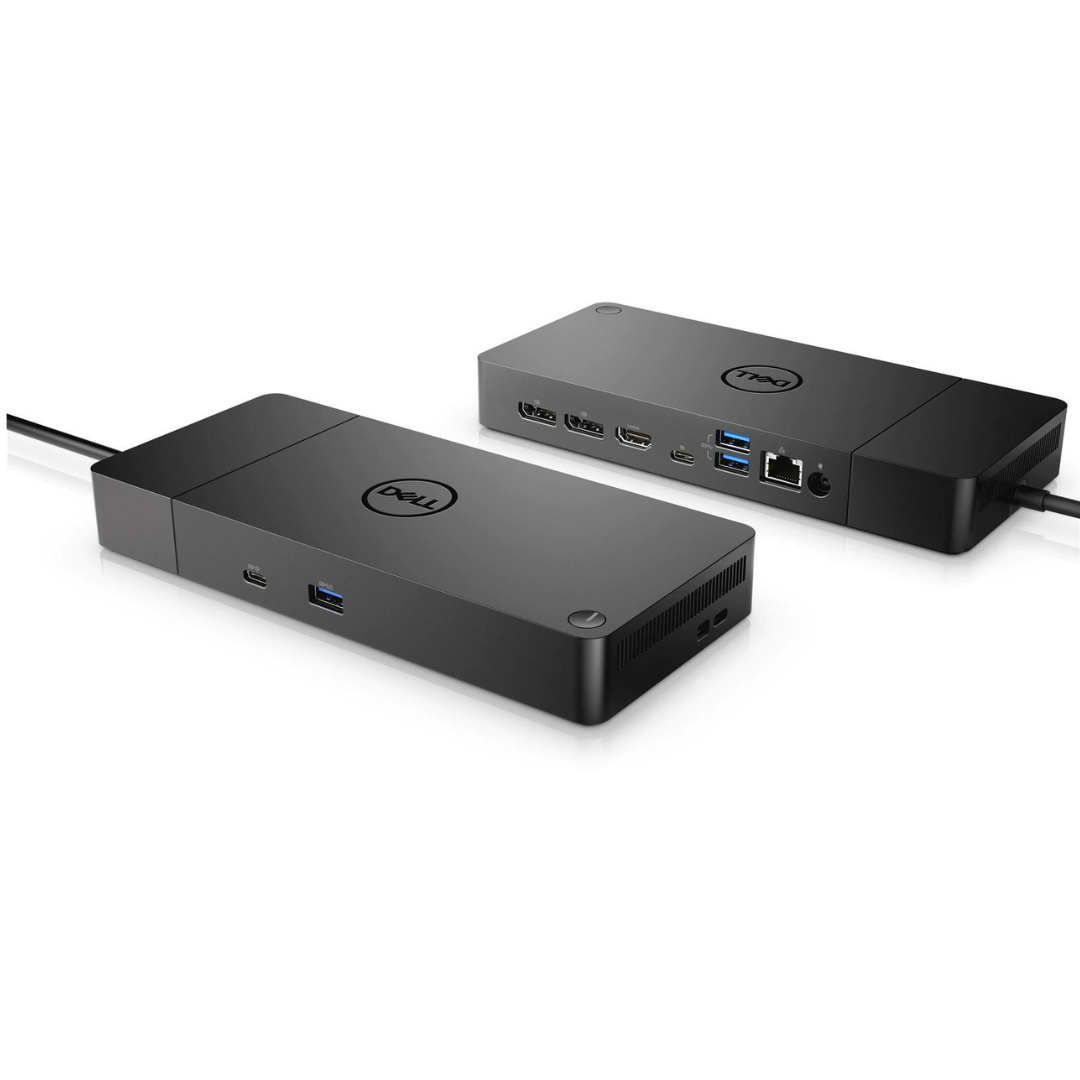
Video Output:2 x DisplayPort 1.4,1 x HDMI 2.0,1 x USB-C
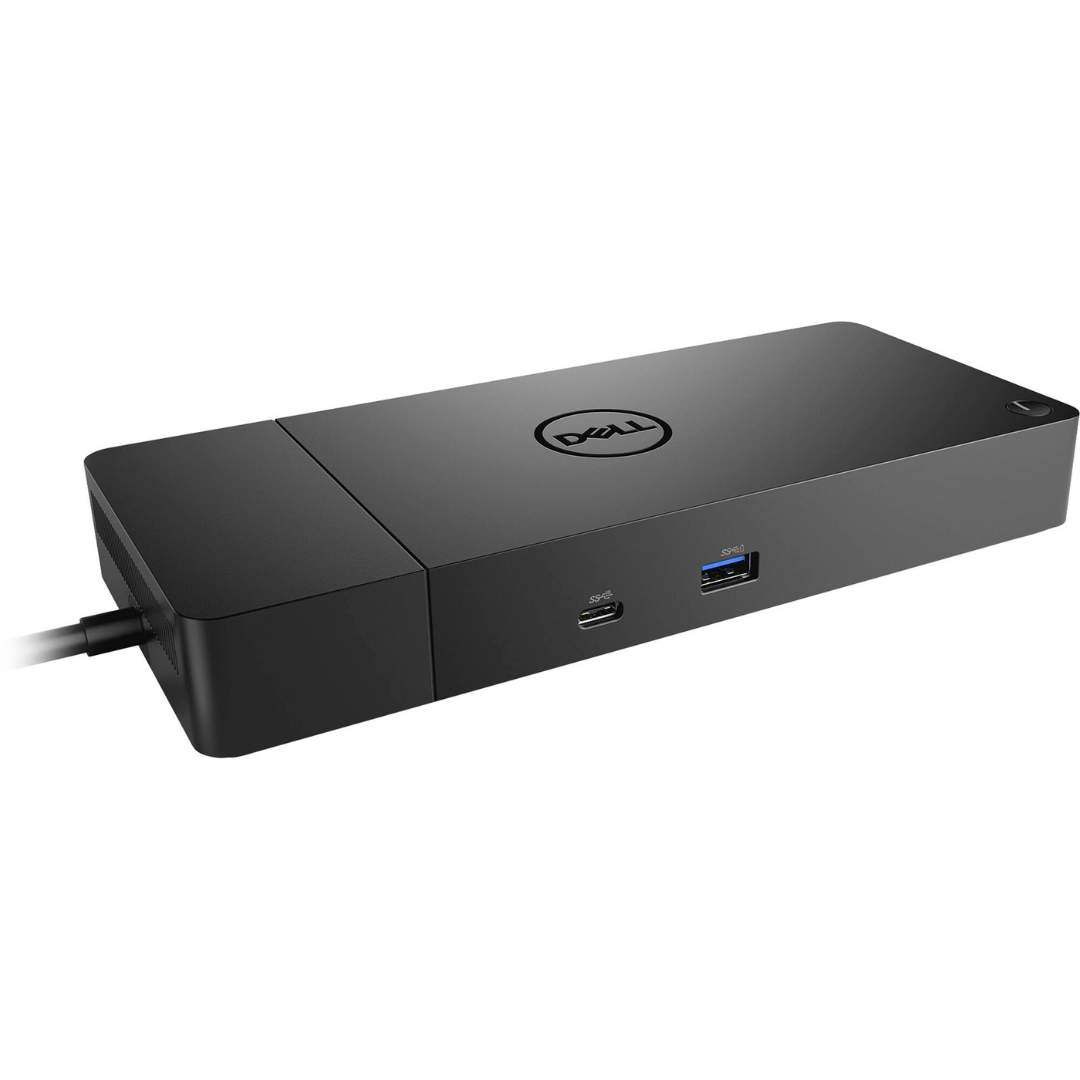
USB Ports:2 x USB 3.2 Gen 1 Type-A (9-pin),1 x USB-C 3.2 Gen 2 (24-pin)
The Dell WD19S Docking Station is a powerful and versatile productivity solution for modern workstations. Designed to simplify connectivity, the Dell WD19S Docking Station enables users to connect multiple displays, peripherals, and a network connection via a single USB-C cable. It is ideal for professionals working across hybrid environments, office setups, or content creation stations where performance, efficiency, and minimal cable clutter are essential.
With comprehensive display outputs, high-speed data transfer capabilities, and integrated power delivery, the Dell WD19S Docking Station makes managing a multi-device workspace seamless and clutter-free.
Docking Interface: USB-C (Universal Compatibility with USB-C laptops)
Video Output:
2 x DisplayPort 1.4
1 x HDMI 2.0
1 x USB-C (Multifunction DisplayPort)
USB Ports:
2 x USB 3.2 Gen 1 Type-A (9-pin)
1 x USB-C 3.2 Gen 2 (24-pin)
Network Interface: 1 x Gigabit Ethernet RJ-45
Power Supply: 130W (Dell AC adapter included)
Weight: Approx. 20.63 oz / 585g
Dimensions: Compact rectangular design, desktop-friendly
Color: Matte Black
Model Compatibility: Works best with Dell Latitude, XPS, and Precision series; supports most USB-C laptops with DisplayPort Alternate Mode
The Dell WD19S Docking Station is designed to maximize productivity by offering a single-cable solution for powering devices, transferring data, and extending the display. With up to three display outputs, you can connect dual 4K monitors or a triple monitor setup depending on your host system’s capabilities.
DisplayPort + HDMI: Connect to dual 4K monitors or a single 5K monitor.
USB-C Multifunction DisplayPort: Enables DisplayPort over USB-C and charges connected devices.
This makes the dock ideal for graphic designers, video editors, developers, and office professionals who need more screen real estate.
With a 130W power adapter, the Dell WD19S Docking Station provides up to 90W of power delivery to the laptop (or up to 130W for Dell systems), ensuring your laptop stays charged while operating at full performance. This is particularly beneficial for power-hungry workstations and multitasking professionals.
The integrated Gigabit Ethernet port (RJ-45) ensures stable and secure internet access, particularly important for remote meetings, large file transfers, or IT-managed corporate environments.
The Dell WD19S Docking Station includes multiple USB 3.2 Gen 1 Type-A ports for connecting peripherals such as external hard drives, keyboards, and mice. The USB-C 3.2 Gen 2 port provides high-speed data transfer (up to 10 Gbps), ideal for external SSDs and other high-speed storage devices.
Whether you are working with large spreadsheets, creative applications, or monitoring real-time data, the Dell WD19S Docking Station lets you extend your laptop into a triple-monitor workstation (2 external displays + internal display, depending on system configuration). Compatible resolutions include:
Dual 4K @ 60Hz (via DisplayPort and HDMI)
Triple FHD (1080p) configuration
Single 5K @ 60Hz
The Dell WD19S Docking Station is part of Dell’s modular docking ecosystem, allowing you to upgrade or swap out modules like power supply bricks or expand compatibility with future systems. This makes it a future-ready investment for enterprise deployments.
Remote Workstations: Easily plug in at home or the office for a full desktop experience.
IT Deployments: Centralized docking stations streamline cable management and increase IT efficiency.
Creative Professionals: Run dual 4K displays for editing, color grading, and media management.
Developers & Engineers: Support for multiple displays and device connectivity makes debugging and multitasking smoother.
MAC Address Pass-Through
Wake-on-LAN (WoL)
Preboot Execution Environment (PXE) Boot Support
These features make the Dell WD19S Docking Station ideal for corporate environments that require remote access and IT system control.
Dell WD19S Docking Station
130W Power Adapter
USB-C Cable (built-in)
Quick Start Guide
Warranty Documentation
The Dell WD19S Docking Station comes with a standard 1-year limited hardware warranty, which can be extended via Dell’s support plans. It also supports firmware and driver updates via Dell Command Update or Dell Display Manager, ensuring ongoing compatibility and performance improvements.
The Dell WD19S Docking Station offers a complete docking solution for professionals looking to maximize their workspace. Its robust port selection, display output versatility, and seamless power delivery make it one of the best USB-C docking stations in its category.
Whether you’re upgrading your home office or deploying docking stations across an enterprise, the Dell WD19S Docking Station delivers a great balance of performance, convenience, and future-ready design.
Docking Interface: USB-C (Universal Compatibility with USB-C laptops)
Video Output:
2 x DisplayPort 1.4
1 x HDMI 2.0
1 x USB-C (Multifunction DisplayPort)
USB Ports:
2 x USB 3.2 Gen 1 Type-A (9-pin)
1 x USB-C 3.2 Gen 2 (24-pin)
Network Interface: 1 x Gigabit Ethernet RJ-45
Power Supply: 130W (Dell AC adapter included)
Weight: Approx. 20.63 oz / 585g
Dimensions: Compact rectangular design, desktop-friendly
Color: Matte Black
Model Compatibility: Works best with Dell Latitude, XPS, and Precision series; supports most USB-C laptops with DisplayPort Alternate Mode


Reviews
There are no reviews yet.