Description
MikroTik RB260GS – Compact Gigabit Ethernet Switch
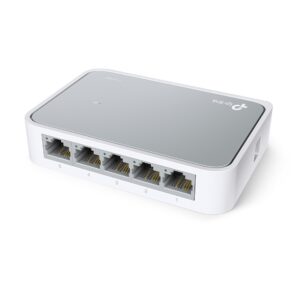
The MikroTik RB260GS is a compact, fanless Gigabit Ethernet switch designed for small to medium-sized networks. With its robust features and user-friendly design, the RB260GS is an excellent choice for both home users and small businesses seeking to enhance their network infrastructure.
Key Features
- Gigabit Ethernet Ports: The RB260GS is equipped with five Gigabit Ethernet ports, providing high-speed connectivity for multiple devices. This allows for seamless data transfer and communication across your network, making it ideal for bandwidth-intensive applications.
- SFP Port for Fiber Connectivity: In addition to its Ethernet ports, the RB260GS includes one SFP port for connecting to fiber optic networks. This flexibility enables users to expand their network reach and integrate with existing fiber infrastructure, providing options for higher bandwidth and longer distance connections.
- User-Friendly Management: The RB260GS features an intuitive web-based interface for easy configuration and management. Users can quickly set up and monitor their network settings without needing extensive networking knowledge. The switch also supports the MikroTik SwitchOS, offering advanced features for professional users.
- Compact and Fanless Design: With its small form factor and fanless operation, the RB260GS is ideal for installation in environments where space is limited. The lack of moving parts also ensures silent operation, making it suitable for use in home offices or quiet workspaces.
- Layer 2 Switching: The RB260GS operates as a Layer 2 switch, allowing for efficient data handling and reduced latency. It supports features such as VLANs (Virtual Local Area Networks), MAC address filtering, and port mirroring, enhancing network performance and security.
- Power over Ethernet (PoE) Support: The switch can provide PoE (Power over Ethernet) to compatible devices, simplifying installation by eliminating the need for separate power sources for devices like IP cameras, access points, and VoIP phones.
- Durable Construction: Built with high-quality components, the RB260GS is designed for durability and reliability, ensuring consistent performance in various network conditions.
- Versatile Deployment: Its versatile design allows for deployment in various settings, including homes, offices, and small businesses, making it a flexible solution for different networking needs.
Applications
- Home Networks: The RB260GS is perfect for home users looking to enhance their home network, providing high-speed connectivity for devices like computers, smart TVs, and gaming consoles.
- Small Office Networks: Small businesses can utilize the RB260GS to connect workstations, printers, and other network devices, ensuring smooth communication and data transfer between all devices.
- Remote Work Environments: In a remote work setup, the RB260GS can support multiple devices used by employees working from home, providing reliable connectivity for video conferencing and collaboration tools.
- Surveillance Systems: The PoE capability allows for easy installation of IP cameras and other surveillance equipment, making it an excellent choice for security-focused deployments.
- Educational Institutions: Schools and educational institutions can benefit from the RB260GS by connecting multiple devices in classrooms and administrative offices, ensuring reliable internet access for students and staff.
Installation Guide
- Unbox the Device: Carefully unpack the RB260GS and check for any visible damage. Ensure that all included accessories, such as the power supply and mounting brackets, are present.
- Choose the Installation Location: Select a suitable location for the switch, ensuring it is in a well-ventilated area and accessible for cable management.
- Connect Power: Plug the power supply into the switch and connect it to a power outlet. The LED indicators will light up, signaling that the device is powered on.
- Connect Network Devices: Use Ethernet cables to connect devices such as computers, printers, and access points to the switch’s Gigabit Ethernet ports. If using fiber connections, connect the appropriate fiber optic cable to the SFP port.
- Access the Switch Management Interface: To configure the RB260GS, connect a computer to one of the Ethernet ports and access the web-based management interface using the default IP address (usually 192.168.88.1).
- Configure Network Settings: Log in using the default credentials (admin/admin) and configure the switch settings according to your network requirements. This includes setting up VLANs, managing MAC address filtering, and enabling PoE as needed.
- Test Connectivity: After configuration, verify network connectivity by connecting client devices and ensuring they can communicate and access the internet without issues.
Advantages of RB260GS
- High-Speed Connectivity: With Gigabit Ethernet and SFP options, the RB260GS provides fast and efficient data transfer, supporting modern network demands.
- Flexibility in Network Design: The inclusion of both Ethernet and fiber connections allows for versatile network configurations, enabling users to design their networks according to specific needs.
- Silent Operation: The fanless design ensures quiet operation, making it an ideal choice for noise-sensitive environments.
- Ease of Use: The intuitive web-based management interface simplifies configuration, allowing users of all skill levels to set up and manage their networks effectively.
- Power Over Ethernet (PoE): The PoE functionality reduces cable clutter and simplifies installation for devices that require power, enhancing the overall efficiency of network setups.
Conclusion
The MikroTik RB260GS is a versatile and powerful Gigabit Ethernet switch that meets the needs of small to medium-sized networks. With its impressive features, including multiple Gigabit Ethernet ports, an SFP port for fiber connectivity, and PoE support, it provides an excellent solution for enhancing network performance. Whether used in homes, small businesses, or educational institutions, the RB260GS delivers reliable connectivity and ease of use, making it a valuable addition to any networking environment. By choosing the RB260GS, users can ensure their network infrastructure is prepared to handle the demands of modern applications and services.




Reviews
There are no reviews yet.