No products in the cart.

Only this weekend
Super Discount
Items on sale this week
Top picks this week. Up to 50% off the best selling products.


Price (Inc. Tax): KSh3,248
Connectivity:Wireless 2.4 GHz,Nano receiver (USB)
Battery:1 x AA battery,Up to 18 months of battery life
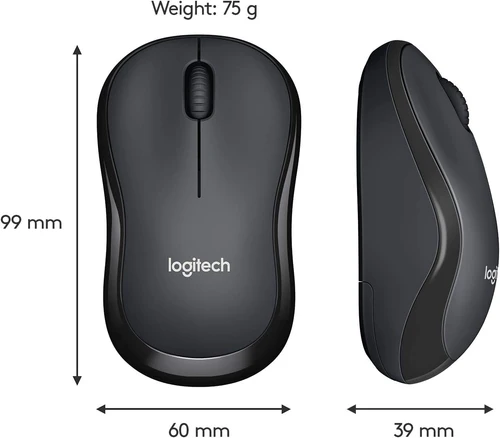
Mouse Dimensions:Length: 99 mm
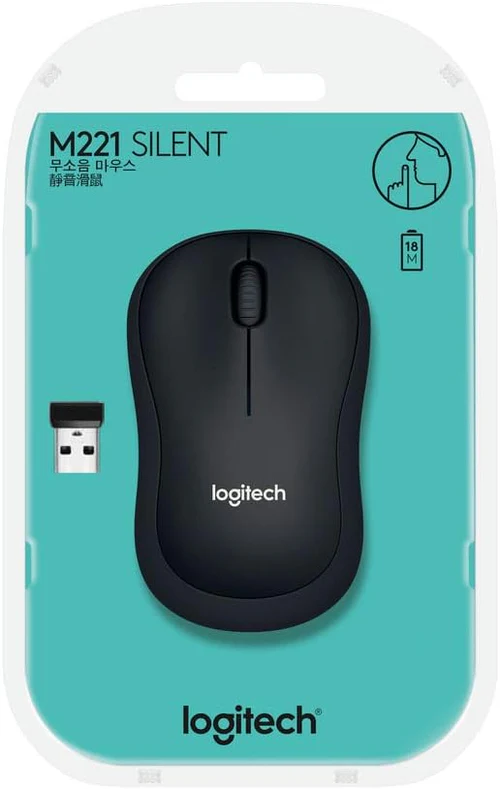
The Logitech M221 Silent Wireless Mouse is an excellent choice for anyone looking for a quiet, reliable, and efficient mouse for daily computing tasks. Whether you are working in an office, studying at home, or using a laptop on the go, the M221 provides a smooth, comfortable, and noiseless experience that minimizes distractions. As part of Logitech’s highly acclaimed Silent Series, the M221 is designed to deliver a more peaceful environment with its innovative silent-clicking technology, all while providing long-lasting wireless connectivity, ergonomic design, and high-quality performance.
Logitech has long been a leader in the peripheral market, and the M221 Silent Wireless Mouse continues to build upon their reputation for producing durable, functional, and user-friendly products. With its focus on quiet operation, reliability, and comfort, this mouse is the ideal option for professionals, students, and anyone in need of a high-performance mouse without the constant clicking noise.
Silent Click Technology
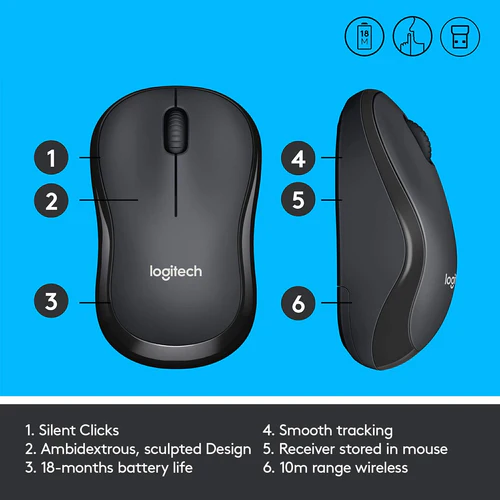
One of the standout features of the Logitech M221 is its silent-click technology, which reduces the noise from clicking by up to 90%. Whether you’re working late at night, attending virtual meetings, or using the mouse in shared spaces like libraries or offices, the M221 minimizes the distractions of traditional clicking noises, allowing you to focus on the task at hand.
Reliable Wireless Connectivity
The M221 features 2.4 GHz wireless technology, providing a reliable and fast connection. It uses a small, plug-and-play USB receiver that can be connected to a computer or laptop. The Nano receiver is small enough to stay plugged in, even when transporting your laptop in a bag, preventing the need to constantly plug and unplug the receiver. With a wireless range of up to 10 meters, the M221 provides flexibility and freedom of movement without sacrificing performance.
Long Battery Life
The Logitech M221 is designed to be energy-efficient. The mouse runs on a single AA battery, and with Logitech’s Advanced Optical Sensor, it provides long-lasting performance with up to 18 months of battery life on a single battery. The M221’s battery-saving technology ensures that you can use the mouse for extended periods without the need for frequent battery replacements, making it highly cost-effective in the long term.
Ergonomic Design
The Logitech M221 is designed for comfort, with a shape that fits comfortably in the palm of your hand. Its ergonomic design makes it ideal for both left- and right-handed users, providing a natural grip that reduces strain during extended use. The mouse is compact, lightweight, and easy to hold, ensuring a comfortable experience whether you’re working for long hours or simply browsing the web.
Precise and Responsive Performance
Despite its quiet operation, the M221 does not compromise on performance. The mouse features advanced optical tracking that provides precise, responsive cursor control on a variety of surfaces. Whether you are navigating your computer’s interface, editing photos, or playing games, the M221 ensures smooth and accurate tracking without the need for a mouse pad (though it can still be used on one for extra precision).
Plug-and-Play Setup
The Logitech M221 Silent Wireless Mouse is simple to set up. The Nano receiver plugs into a USB port on your computer, and the mouse is ready to use within seconds—there’s no software or complicated setup required. Simply plug in the receiver, and you’re good to go.
Compact and Portable
Thanks to its small size, the M221 is highly portable and easy to carry with you wherever you go. It’s an ideal companion for travelers, students, or anyone who needs a reliable mouse that can easily fit in a laptop bag, briefcase, or even a pocket.
Durable and High-Quality Build
Logitech is known for producing long-lasting peripherals, and the M221 is no different. It is built with durable materials and undergoes stringent quality control to ensure that it can withstand regular use. Whether you’re using it on a desk or while traveling, the M221’s sturdy construction ensures it will continue to perform at its best for a long time.
Connectivity:
Battery:
Mouse Dimensions:
Tracking Resolution:
Buttons:
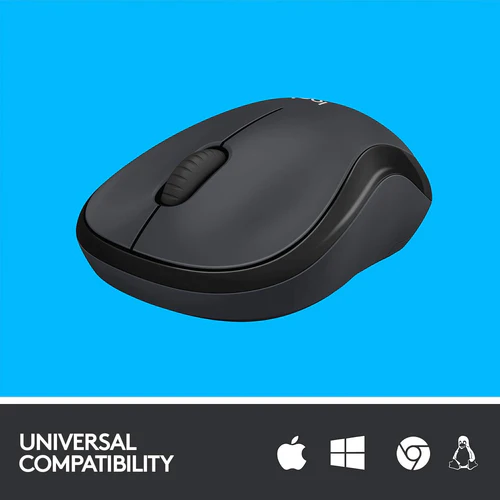
Compatibility:
Wireless Range:
Color:
Included in Box:
Office Work
The Logitech M221 is ideal for office environments where quiet operation is a priority. Whether you are typing, editing documents, or taking notes during virtual meetings, the silent-click feature ensures you won’t disturb colleagues around you. Its comfortable, ergonomic design makes it suitable for all-day use.
Home Office
The M221 is perfect for those who work from home or need a reliable mouse for general home computing tasks. Its compact size and portability make it easy to carry between rooms, and its long battery life ensures that you won’t be interrupted by frequent battery changes.
Travel and On-the-Go Use
Because of its small size and lightweight design, the M221 is an excellent travel companion. You can easily slip it into your laptop bag and take it with you on business trips, vacations, or anywhere you need to use a mouse. The wireless receiver remains plugged in, so you don’t need to worry about misplacing it.
Students and Study Environments
The Logitech M221’s quiet operation makes it an excellent choice for students working in libraries or shared study spaces. The mouse allows for precise control without the disruption of clicking sounds, providing a more focused environment for studying or writing.
Casual Use and Browsing
The M221 is great for casual users who need a reliable mouse for browsing the internet, checking emails, or watching videos. Its optical sensor provides smooth tracking on a variety of surfaces, and its silent operation makes it suitable for environments where quiet operation is appreciated.
Setting up the Logitech M221 Silent Wireless Mouse is incredibly simple:
Plug in the USB Receiver:
Insert the Nano receiver into an available USB port on your computer.
Insert the AA Battery:
The mouse comes with an AA battery pre-installed. If needed, open the battery compartment and replace the battery.
Start Using the Mouse:
Once the receiver is plugged in and the battery is installed, the M221 is ready to use. You should immediately notice smooth, quiet cursor control.
No additional software or drivers are required for basic functionality, though you can visit the Logitech website for optional software downloads if you want to customize buttons or adjust settings.
For more information on the Logitech M221 Silent Wireless Mouse, including where to purchase it, visit the official Logitech product page:
For local distributors and services in Kenya, check out Radox Kenya’s official website:
The Logitech M221 Silent Wireless Mouse combines comfort, performance, and quiet functionality in a compact design. Its silent-clicking technology, long battery life, and ergonomic features make it ideal for anyone who needs a reliable, noise-free mouse for everyday computing tasks. Whether you’re working in a shared office space, studying in a library, or traveling, the M221 offers the performance and convenience you need in a wireless mouse.
Connectivity:
Battery:
Mouse Dimensions:
Tracking Resolution:
Buttons:
Compatibility:
Wireless Range:
Color:
Included in Box:


Reviews
There are no reviews yet.