No products in the cart.

Only this weekend
Super Discount
Items on sale this week
Top picks this week. Up to 50% off the best selling products.


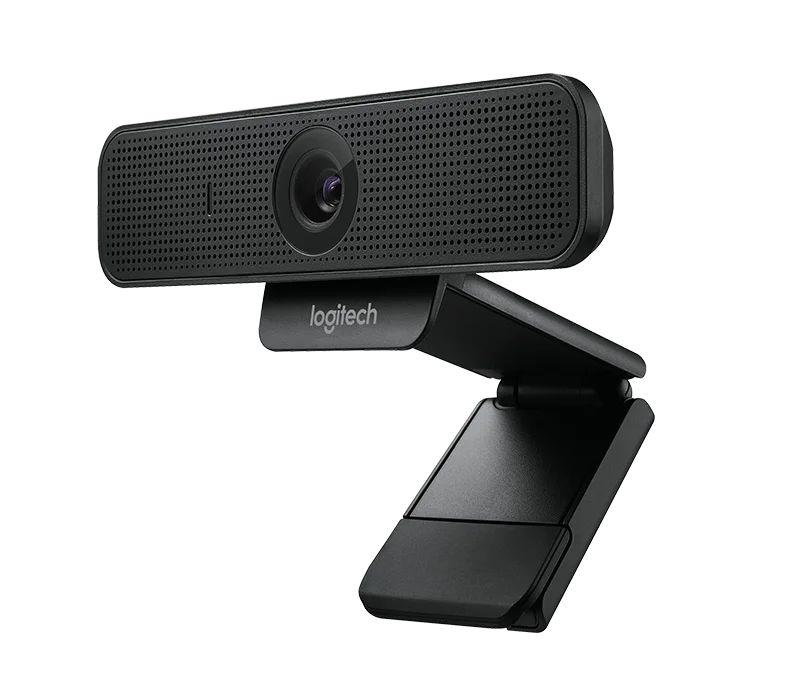
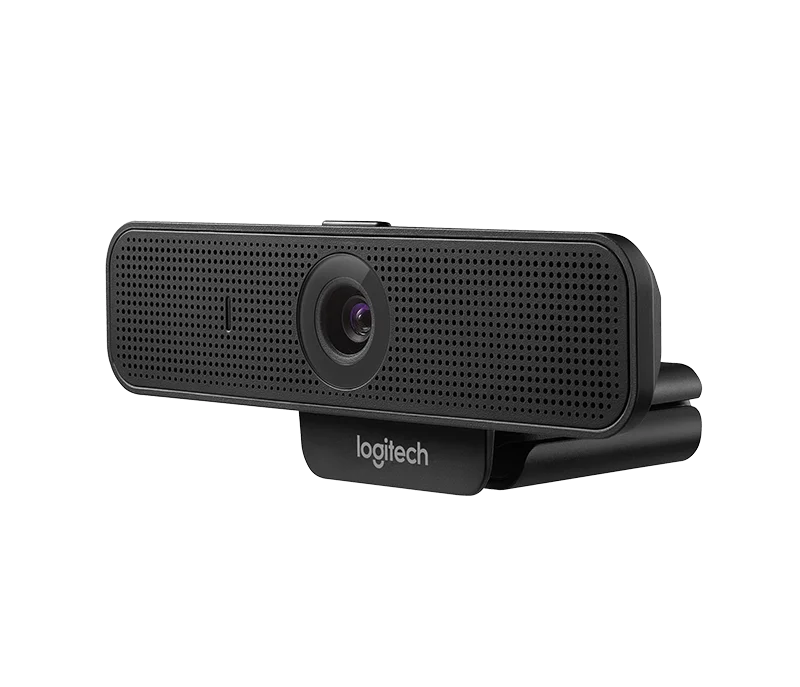

Price (Inc. Tax): KSh20,880
Resolution: Full HD 1080p at 30 frames per second
Field of View (FOV): 78 degrees
Microphone: Built-in noise-canceling omnidirectional microphone
The Logitech C925e Business HD Webcam is a high-performance webcam specifically designed for business professionals who require superior video quality during virtual meetings, video conferences, and webinars. With its full HD 1080p resolution, integrated noise-canceling microphone, and versatile features, the C925e offers exceptional performance in professional environments, making it ideal for remote workers, conference rooms, and online collaboration.
Whether you are hosting a virtual meeting, participating in a video conference, or connecting with clients across the globe, the Logitech C925e ensures that you always appear clear, sharp, and professional. It’s optimized for business environments and compatible with popular communication platforms such as Zoom, Microsoft Teams, Skype, Google Meet, and others, providing hassle-free integration into your daily workflow.
Full HD 1080p Video Quality
The Logitech C925e captures crystal-clear 1080p HD video at 30 frames per second (fps), ensuring that your video calls appear professional and high-quality. Whether you’re sharing presentations or discussing important business matters, the camera delivers excellent image quality, offering clear details and lifelike color reproduction.
Automatic Light Correction
The C925e is equipped with RightLight™ technology, which automatically adjusts to various lighting conditions, ensuring that you look your best in both low-light and brightly-lit environments. Whether you’re working in a dimly lit office or under direct sunlight, the webcam dynamically adjusts to provide optimal lighting for your face.
Noise-Canceling Microphone
This webcam features an integrated omnidirectional microphone that reduces background noise, ensuring clear and crisp audio for your virtual meetings. The built-in microphone picks up your voice accurately while filtering out unwanted sounds from the surrounding environment, ensuring that your communication remains professional and distraction-free.
Wide 78-Degree Field of View
The 78-degree field of view (FOV) ensures that you stay in focus during video calls and that the camera captures a broader area around you. This is particularly useful when collaborating in small teams or sharing visual content with your colleagues or clients.
Business-Grade Security and Privacy
The C925e features a privacy shutter for added security. When you’re not using the webcam, you can easily close the shutter to block the camera lens and ensure your privacy. This is an important feature for businesses concerned with cybersecurity, ensuring that your webcam is only active when you want it to be.
Universal Mounting Options
The Logitech C925e comes with a flexible and adjustable clip, allowing it to fit securely on a variety of devices. Whether you’re using it with a laptop, desktop, or mounted on a tripod, the webcam offers versatility in positioning. The clip is designed to fit most monitors and laptops, providing stable positioning during video calls.
USB Plug-and-Play
The webcam is incredibly easy to use, thanks to its USB plug-and-play functionality. Simply plug the USB cable into an available USB port on your computer or laptop, and it will be automatically detected by your system. There’s no need for additional drivers or software installation, making it a hassle-free solution for professionals.
Optimized for Business Use
The C925e is certified for use with popular video conferencing software such as Zoom, Microsoft Teams, Skype, and more. Its high-definition video and superior audio quality make it perfect for business meetings, webinars, remote collaboration, and client interactions. It’s designed to integrate seamlessly into a business workflow, offering professional-grade performance for remote communication.
Resolution: Full HD 1080p at 30 frames per second
Field of View (FOV): 78 degrees
Microphone: Built-in noise-canceling omnidirectional microphone
Lens: Autofocus for sharp, detailed images
RightLight™ Technology: Automatic light correction for optimal brightness and contrast
Connectivity: USB 2.0, USB 3.0 (plug-and-play, no software required)
Mounting Options: Adjustable clip (fits laptops, monitors) and tripod thread (for flexible positioning)
Privacy Shutter: Yes
Compatibility:
Windows (Windows 7 or later)
macOS (macOS X 10.10 or later)
Chrome OS
Linux (UVC compatible)
Works with major video conferencing applications like Zoom, Microsoft Teams, Skype, Google Meet, and more
Cable Length: 5 feet (1.5 meters)
Weight: 0.15 kg (150 grams)
Unbox the Webcam:
Remove the Logitech C925e webcam and its accompanying USB cable from the box.
Connect the Webcam:
Plug the USB cable into an available USB port on your computer or laptop. The camera will automatically be detected by your operating system. There is no need to install any additional drivers.
Adjust the Camera Position:
Place the webcam on top of your monitor or laptop screen using the adjustable clip. If you’re using a tripod or other mounting equipment, you can position the camera to your desired angle for better visibility.
Start Your Video Call or Recording:
Open your preferred video conferencing or recording software (such as Zoom, Microsoft Teams, or Skype). The webcam will be automatically detected, and you can start using it right away.
Adjust the Settings:
If needed, you can adjust video and audio settings within the software to suit your preferences, such as brightness, contrast, or microphone volume.
Privacy Shutter:
When you’re not using the webcam, simply close the privacy shutter to protect your privacy and ensure that the camera lens is covered.
Business Professionals and Remote Workers: The Logitech C925e is tailored for professionals who rely on video communication for meetings, presentations, and collaboration. Its Full HD 1080p video quality and noise-canceling microphone ensure that your communication is clear and professional, no matter where you are.
Teams and Enterprises: The C925e’s compatibility with a wide range of video conferencing platforms and its business-grade features make it an excellent choice for teams and businesses looking to enhance their remote communication and collaboration.
Content Creators and Educators: Whether you’re hosting webinars, teaching virtual classes, or creating online content, the C925e offers the professional-grade video and audio needed for clear communication and high-quality content production.
Anyone Seeking Better Video Quality: If you’re dissatisfied with your current webcam’s video or audio quality, the C925e provides an affordable yet powerful upgrade, offering superior clarity for both business and personal video calls.
You can purchase the Logitech C925e Business HD Webcam from the official Logitech website or from authorized resellers. For those in Kenya, visit Radox Kenya for pricing and availability.
The Logitech C925e Business HD Webcam is an excellent choice for business professionals, teams, and content creators who need reliable, high-quality video for their virtual meetings, webinars, and online collaboration. Featuring Full HD 1080p resolution, a noise-canceling microphone, and automatic light correction, the C925e ensures clear and professional video communication in various environments. Its easy plug-and-play functionality, wide compatibility, and privacy features make it a standout solution for business use. Whether you’re working remotely, teaching online, or engaging in virtual meetings, the C925e provides the performance you need to communicate effectively and professionally.
Resolution: Full HD 1080p at 30 frames per second
Field of View (FOV): 78 degrees
Microphone: Built-in noise-canceling omnidirectional microphone
Lens: Autofocus for sharp, detailed images
RightLight™ Technology: Automatic light correction for optimal brightness and contrast
Connectivity: USB 2.0, USB 3.0 (plug-and-play, no software required)
Mounting Options: Adjustable clip (fits laptops, monitors) and tripod thread (for flexible positioning)
Privacy Shutter: Yes
Compatibility:
Windows (Windows 7 or later)
macOS (macOS X 10.10 or later)
Chrome OS
Linux (UVC compatible)
Works with major video conferencing applications like Zoom, Microsoft Teams, Skype, Google Meet, and more
Cable Length: 5 feet (1.5 meters)
Weight: 0.15 kg (150 grams)


Reviews
There are no reviews yet.