No products in the cart.

Only this weekend
Super Discount
Items on sale this week
Top picks this week. Up to 50% off the best selling products.



Price (Inc. Tax): KSh34,800
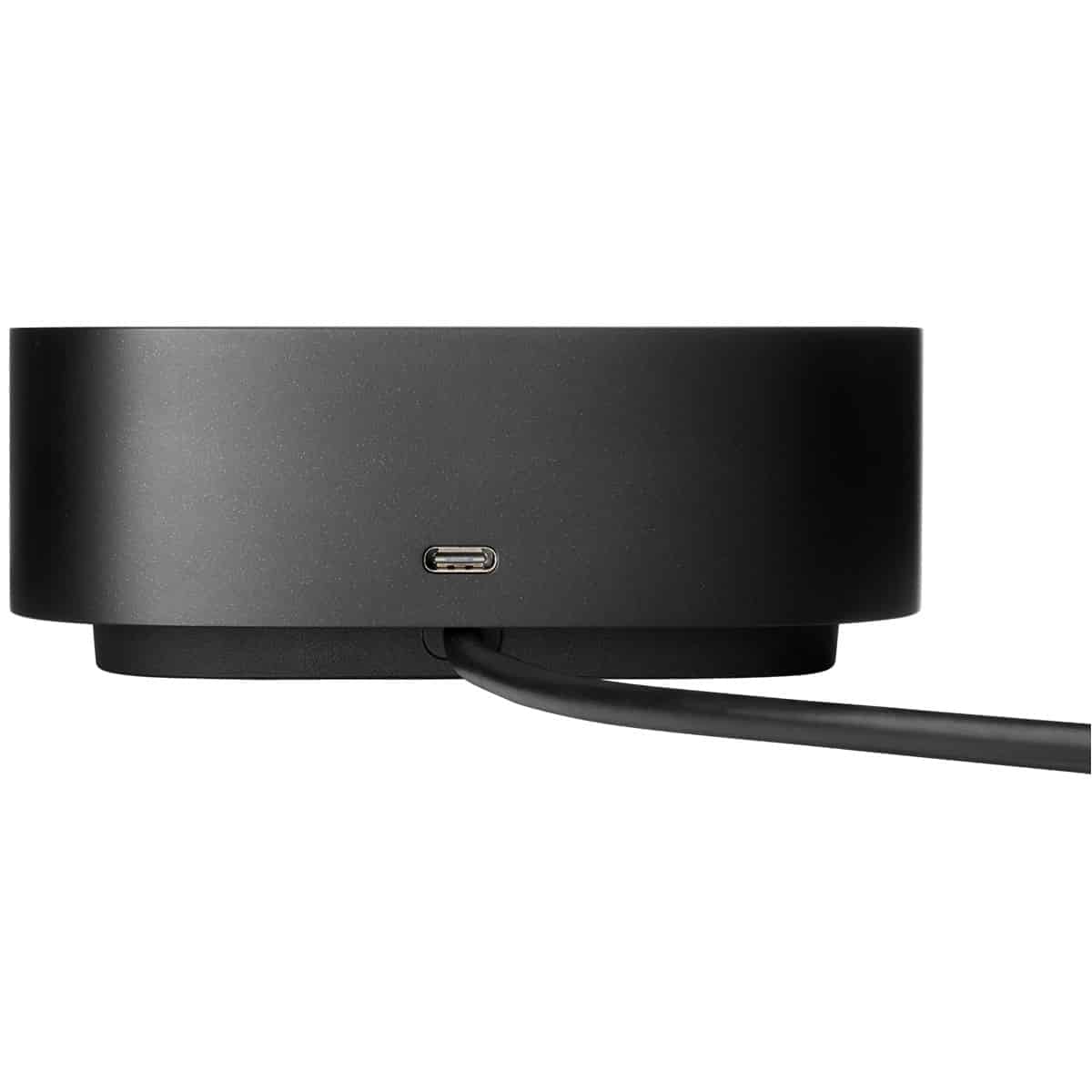
The HP USB‑C Dock G5 is designed to simplify and enhance your desktop workspace by unifying power delivery, data connectivity, video output, and network access into a single, compact hub. By using just one USB‑C cable to connect to your laptop, the dock enables a clean and efficient workspace—perfect for professionals working at home, hybrid offices, or corporate hot-desking environments.
This HP USB‑C Dock G5 provides a power delivery of up to 100 W, multiple display options including dual DisplayPort 1.4 and HDMI 2.0, Gigabit Ethernet, numerous USB ports, audio support, and more—all packed into a sleek, low-profile chassis that keeps your desk looking organized and modern.
100 W Power Delivery through the USB‑C host HP USB‑C Dock G5 ensures your laptop stays charged during use (real-world output often around 60–70 W under load, but enough to keep systems ticking without interruption).
A front USB‑C port provides 15 W charging capacity for phones, tablets, and accessories.
Auto power management and firmware updates keep power delivery optimized and secure.
By consolidating power and data into one cable, the dock reduces cable clutter and improves setup efficiency—great for shared desks and flexible work environments.
The HP USB‑C Dock G5 supports versatile multi‑monitor setups:
2 × DisplayPort 1.4
1 × HDMI 2.0
When connected to a capable USB‑C host with DisplayPort mode, it can drive up to three independent 4K displays at 60 Hz, or multitask with a 5K + lower-res display configuration. Users report clarity and smooth performance—ideal for spreadsheet work, programming, content review, and multitasking workflows.
Note: As a USB‑C dock, it doesn’t carry the full bandwidth of Thunderbolt 4. High-refresh or HDR gaming displays might notice occasional lag or reduced performance, so this dock is best used for productivity setups.
Gigabit Ethernet (RJ‑45): Reliable, low-latency wired networking—ideal for high-speed transfers or corporate LAN access.
Front & Rear USB Layout:
1 front USB‑C (data + 15 W charging)
4 USB‑A 3.0 (2 front & 2 rear) with charging support
3.5 mm audio combo jack: Connect headphones or headsets for private audio.
The combination of wired networking and multiple USB ports makes the dock a robust hub for peripherals like external drives, webcams, input devices, and headsets.
The HP USB‑C Dock G5 is built with a clean, compact chassis, measuring approximately 12 cm × 12 cm × 4.5 cm and weighing around 0.75 kg. Its low profile fits neatly behind a monitor or under a laptop stand. A Kensington lock slot adds tamper protection when used in shared environments.
Cable management is enhanced through a rear cable tray, helping keep the desk free of clutter and tangles.
User-updatable firmware allows the dock to stay current with stability and compatibility enhancements via HP’s update tools.
HP USB‑C Dock G5 Compatible with Windows 10/11 laptops and many USB-C or USB 3.1+ systems (e.g., macOS, Chrome OS, Linux).
While it performs best with USB-C laptops supporting DisplayPort Alt Mode, even basic USB-C systems benefit from Ethernet and USB connectivity—even if external video output is limited.
Note: Non-HP devices may require a firmware upgrade for full functionality; some laptops may not wake external displays from sleep without a display driver update.
Pros:
Sleek aesthetics — low-profile and modern, perfect for clean setups.
One cable connection powers the laptop, connects Ethernet, video, and peripherals.
Effective multi-monitor support for productivity setups.
Cons:
Real-world power delivery often around 60–70 W instead of 100 W.
Not ideal for gaming—high-refresh or HDR demands may exceed USB‑C bandwidth.
Occasional display flicker or dropouts noted—firmware updates often solve these.
Office Productivity: Effortless connection of dual/tri-screen setups, wired networking, and peripherals like webcams and headsets.
Hybrid & Remote Work: Seamless transitions between home and office desks without cable swaps.
Corporate IT Deployment: Compact docks with firmware manageability and lock slots suit standardized fleets.
Understanding Limitations: Not built for gaming setups, but perfect for business and creative workflows.
| Feature | Specification |
|---|---|
| Power Delivery | Up to 100 W via USB‑C (typically ~60–70 W under load) |
| Host Connection | Single USB‑C cable |
| Display Outputs | 2 × DisplayPort 1.4, 1 × HDMI 2.0 |
| USB Ports | 1 × front USB‑C (data & charging), 4 × USB‑A 3.0 |
| Audio | 3.5 mm combo jack |
| Ethernet | Gigabit RJ‑45 |
| Security Slot | Kensington lock |
| Form Factor | 122 × 122 × 45 mm; ~0.75 kg |
| Firmware | User-updatable |
| OS Support | Windows 10/11, macOS, Chrome OS, Linux |
| Ideal Usage | Office, hybrid work, standard USB‑C laptops |
| Not Ideal For | High-refresh gaming or HDR displays |
| Warranty | Standard limited warranty |
The HP USB‑C Dock G5 delivers a refined desktop experience with one-cable simplicity, robust connectivity, and firmware-upgradable support. HP USB‑C Dock G5 is an excellent fit for professionals and hybrid workers needing multi-display setups, wired networking, and clean desk ergonomics.
While not tailored for gaming or ultra-high refresh rates, its streamlined design, thoughtful cable management, and compact footprint make it a standout choice for business users who value efficiency, manageability, and a polished workspace.
| Feature | Specification |
|---|---|
| Power Delivery | Up to 100 W via USB‑C (typically ~60–70 W under load) |
| Host Connection | Single USB‑C cable |
| Display Outputs | 2 × DisplayPort 1.4, 1 × HDMI 2.0 |
| USB Ports | 1 × front USB‑C (data & charging), 4 × USB‑A 3.0 |
| Audio | 3.5 mm combo jack |
| Ethernet | Gigabit RJ‑45 |
| Security Slot | Kensington lock |
| Form Factor | 122 × 122 × 45 mm; ~0.75 kg |
| Firmware | User-updatable |
| OS Support | Windows 10/11, macOS, Chrome OS, Linux |
| Ideal Usage | Office, hybrid work, standard USB‑C laptops |
| Not Ideal For | High-refresh gaming or HDR displays |
| Warranty | Standard limited warranty |


Reviews
There are no reviews yet.